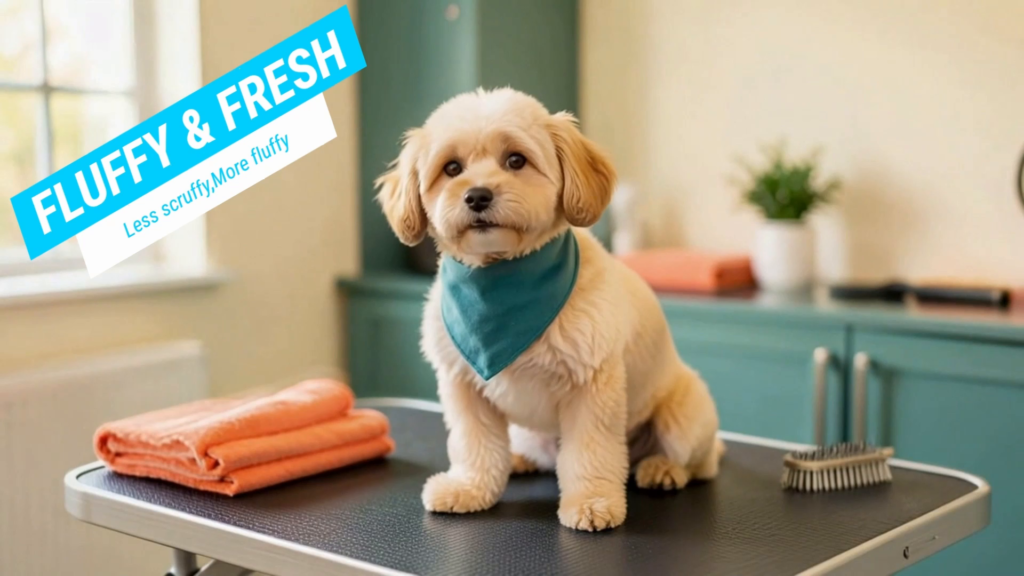
A talking dog gives a pet-grooming ad a playful opening. The next few seconds still need to explain the service, keep the business recognisable and give the viewer somewhere to book.
That is the useful business question behind this FlexClip AI video ad demonstration. AI Stack builds an approximately half-minute campaign for fictional groomer Fluffy & Fresh, using a dog as the central character and separate grooming scenes to tell the story. The example makes a good starting point for understanding what an AI video workflow involves beyond generating an eye-catching clip.
The lesson is practical: plan the message, establish a consistent visual reference, inspect the generated action and finish the ad in an editor. The quality of those decisions matters as much as the model behind the generation.
Watch I Made This Dog Grooming Ad With AI—Here’s How
Where FlexClip fits in the workflow
FlexClip brings AI media tools and a browser-based video editor into one service. Its Text to Image documentation describes generating images from prompts and, with supported models, combining a prompt with a reference image. That is useful when a campaign needs the same subject in different situations.
The demonstration uses three parts of that workflow: Text to Image to establish the scenes, Image to Video to animate them, and the editor to arrange the selected footage with business copy and sound. Each stage needs its own check. An attractive still can produce awkward motion, and a well-generated clip can still need trimming before it earns its place in the ad.
Model names, available settings and credit quotes can change. Use the recorded tutorial to understand the method, then check what your account currently offers before committing to a campaign.
Give every scene a business purpose
The Fluffy & Fresh concept has a clear subject and setting: a fluffy golden dog in a warm grooming salon. Cream, teal and coral provide a visual thread through the campaign. This is a fictional business example, and the generated scenes illustrate a service rather than document a real customer appointment.
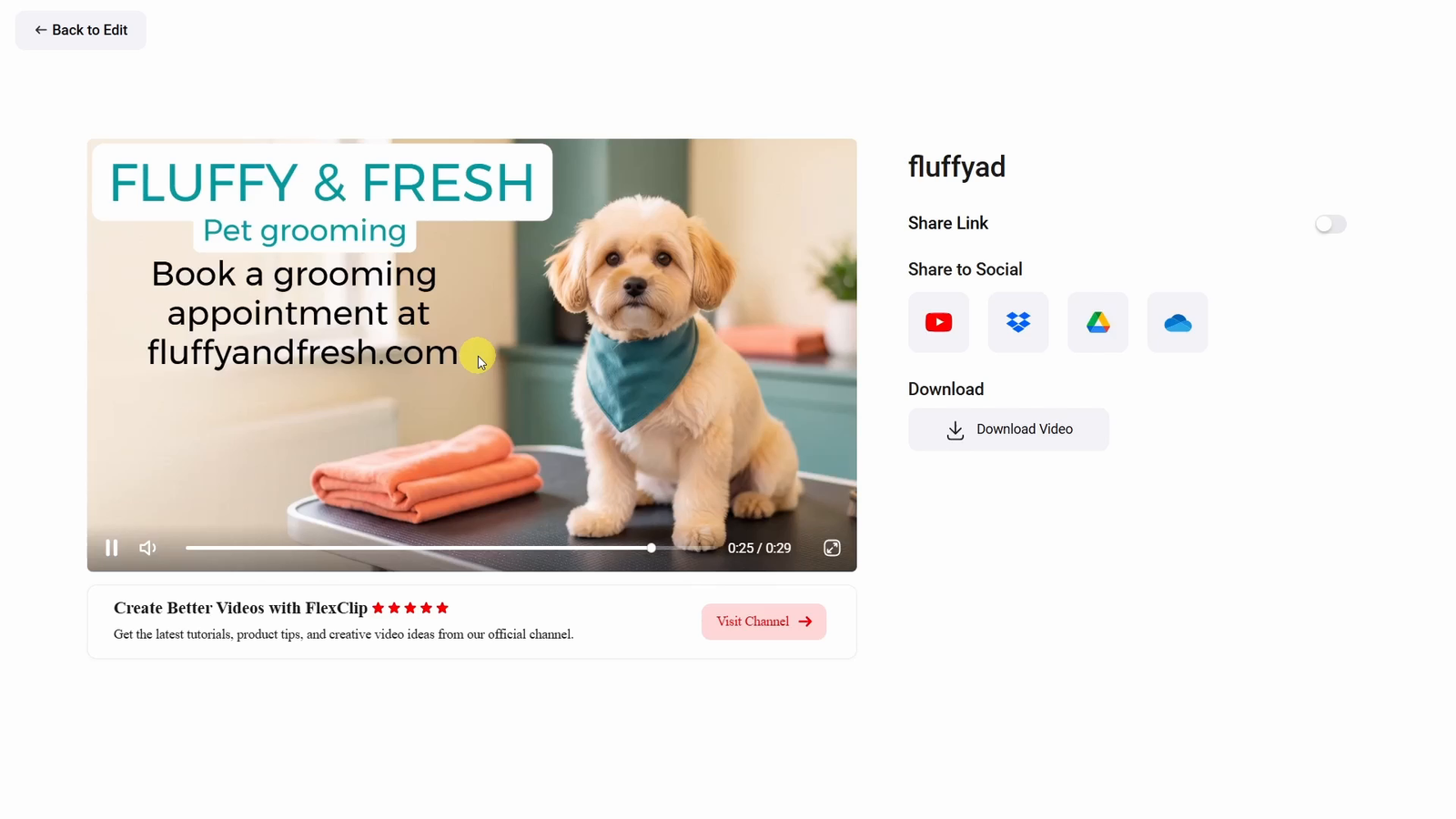
The opening dog says “Less scruffy. More fluffy.” The assembled sequence then shows bath, trim and brush services, followed by the finished groom and a booking screen. At 06:19, the tutorial begins adding those assets to the timeline. The final booking scene reuses a finished-groom still, giving the business information a stable background. The export player later shows a total of 0:29.
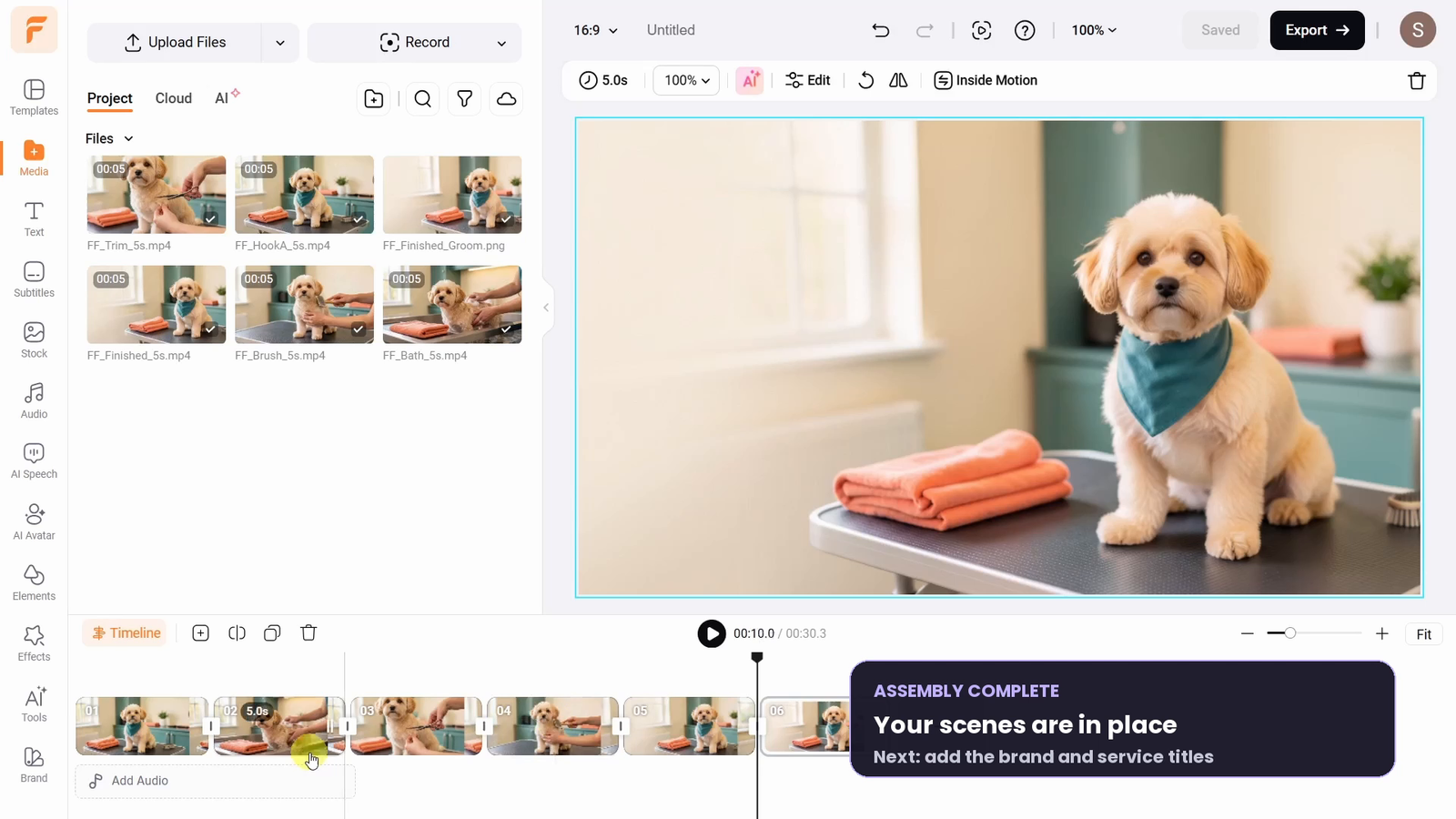
A useful way to plan a short advertisement is to give each part a specific job:
- Opening: establish the character and give the viewer a reason to keep watching.
- Service shots: show what the business actually offers.
- Finished look: bring the sequence to a satisfying visual conclusion.
- Call to action: explain what the viewer should do next.
For a real groomer, a playful mascot can support brand personality. The practical information still needs to be accurate: the service, location and booking destination should match the business. Generated footage should never be presented as proof of a particular customer’s grooming result.
Use one reference to keep the campaign recognisable
A sequence feels more coherent when the viewer can recognise the dog and salon from shot to shot. Repeating a written description alone leaves room for changes in fur colour, facial shape, accessories and the room itself.
The tutorial starts with FLUX.2 and a landscape 16:9 image. For the bath scene, it switches to Nano Banana and uploads the original dog-and-salon image as a reference. The prompt moves the dog into a grooming tub and removes its bandana; the demonstration selects 2K and 16:9 for that image. You can follow this change at 03:12.
Consistency does not mean every shot should look identical. A bathing scene needs a believable tub and washing action; brushing should make contact between brush and coat visible. Give each image a distinct purpose while retaining the campaign’s visual identity. A reference helps guide the result, but it cannot guarantee that every detail will survive generation.
Before animating, compare the new image with the original. Check the face, coat, salon colours and lighting, then inspect the hands and tools. Fixing an unsuitable reference early avoids carrying the same problem into a video generation.
Judge the movement as closely as the picture
Hands and grooming tools deserve particular attention. An image may look plausible at a glance yet produce an awkward interaction once animated. Watch the entire clip for changing fingers, disappearing tools, distorted fur and sudden changes to the dog’s face or body.
Keep the requested movement manageable. A single gentle brush stroke gives you a clearer action to inspect than a busy sequence with a moving camera and several changing objects. If the result fails, change one relevant instruction and test that scene again before generating the rest of the campaign.
For the hook, the tutorial selects Seedance 1.5 Pro, five seconds and Audio on at 02:20. The bath clip uses the same video model with audio off. This is a specific tested setup; FlexClip’s model guide treats dialogue as a model-dependent capability. Listen to the complete generated line and check the mouth movement. Do not cut off a word to force a preferred running time.
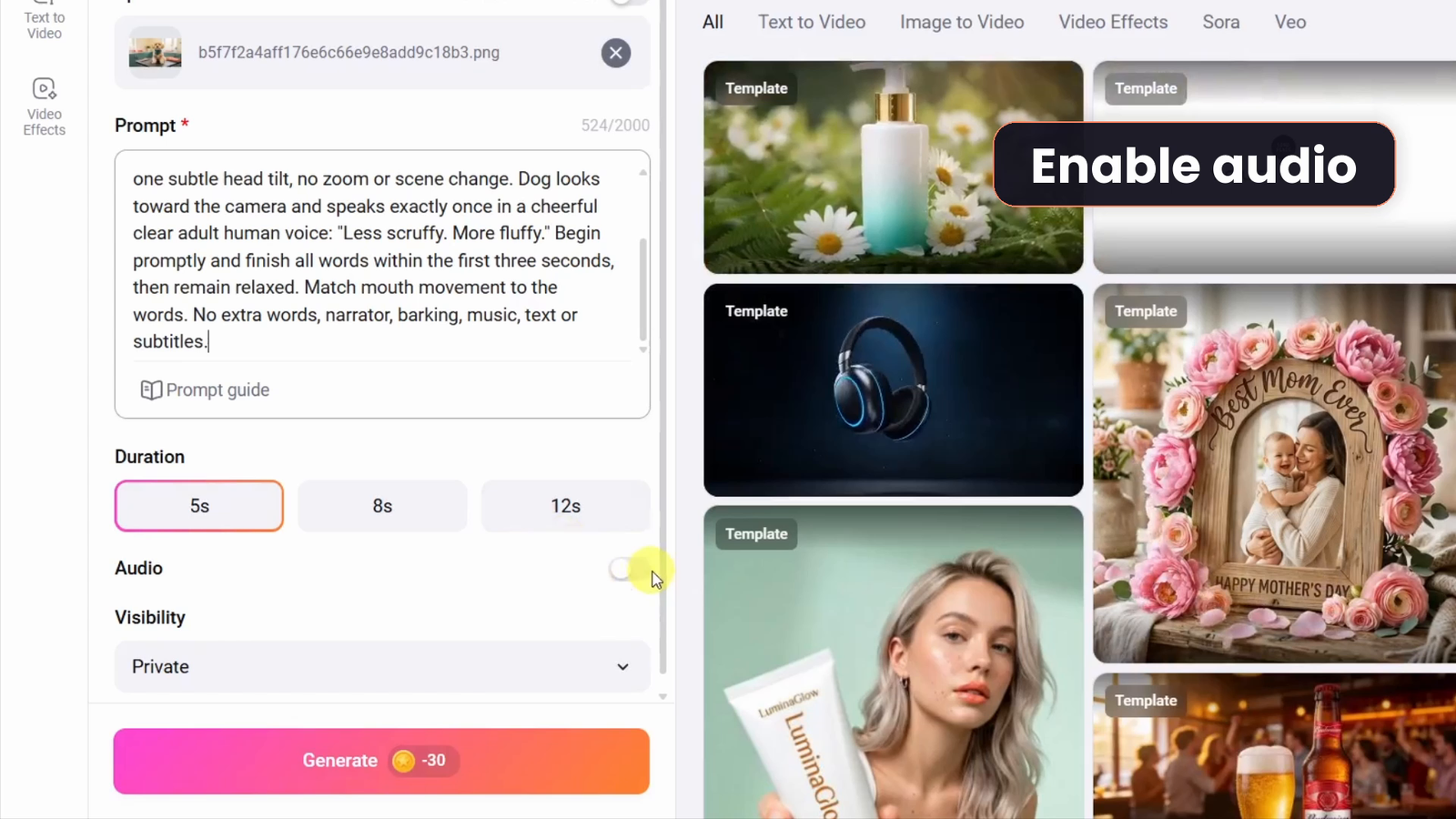
These checks take time and may consume more credits through retries. Include them in the production budget rather than judging the cost from one successful-looking generation.
Finish the ad for the viewer
At 07:34, the creator notices that little is happening during the first three seconds of the finished-groom clip and demonstrates trimming it. That small correction is an important business lesson: keep the strongest moment, rather than every second you paid to generate. Watch the complete sequence to judge its pace.
Add the business name, service labels and booking details as editable text. That gives you control over spelling, contrast, positioning and later revisions. Leave the character’s mouth and important tool movements unobstructed. A modest amount of text is easier to read than a screen competing with every detail in the footage.
The audio choice is equally deliberate. At 08:23, instrumental music is added from the second clip onward and reduced to 10%, leaving the spoken opening clear. That level is a choice for this mix, not a universal setting. Listen to your own result and check a muted, small-screen version for readable text. The tutorial then selects 1080p, 30 fps and the recommended quality for export before playing the result.
Check credits, export access and commercial use
Do not budget an AI business ad as an unlimited free workflow. FlexClip’s current plan guide lists a free AI trial and 720p downloads on the Free plan, 1080p on Plus and 4K on Business. Those are plan entitlements, not a guarantee that every source clip contains that level of detail.
AI credits and editor access are separate considerations. FlexClip states that buying AI credits alone does not unlock full editor functionality or premium editor exports. Check the current generation quote, your editor plan and the intended export before paying. See the live pricing page for the applicable billing option.
The commercial-use rules, checked on October 13, 2026, also distinguish the asset types. Plus, Business and Team editor subscribers may commercially use FlexClip stock resources and AI-generated content. Purchased AI credits allow commercial use of AI-generated content, but that permission does not extend to FlexClip stock resources. Free users are not permitted commercial use of either category.
This matters if your ad combines generated footage with stock music. Confirm the rights for each asset, including anything you upload yourself. Keep a record of the applicable plan and licences alongside the project.
Start with one offer and one finished ad
For your own business test, choose one service, one audience and one call to action. Prepare the exact business copy before generating. Set aside time for rejected shots and the final review, and keep the approved reference images, accepted clips and editable project together.
You can then test another opening while keeping the service sequence and offer consistent. That makes it easier to understand what changed between versions. Treat any improvement in clicks or bookings as something to measure in a real campaign, rather than something the AI generation itself proves.
Try FlexClip. This is an affiliate link; we may earn a commission if you purchase through it.
The strongest takeaway from this FlexClip example is the value of a complete production process: a memorable subject, clear service scenes, careful review and readable business information. Use the FlexClip video tutorial for the recorded demonstration, or explore more AI and tech video tutorials.